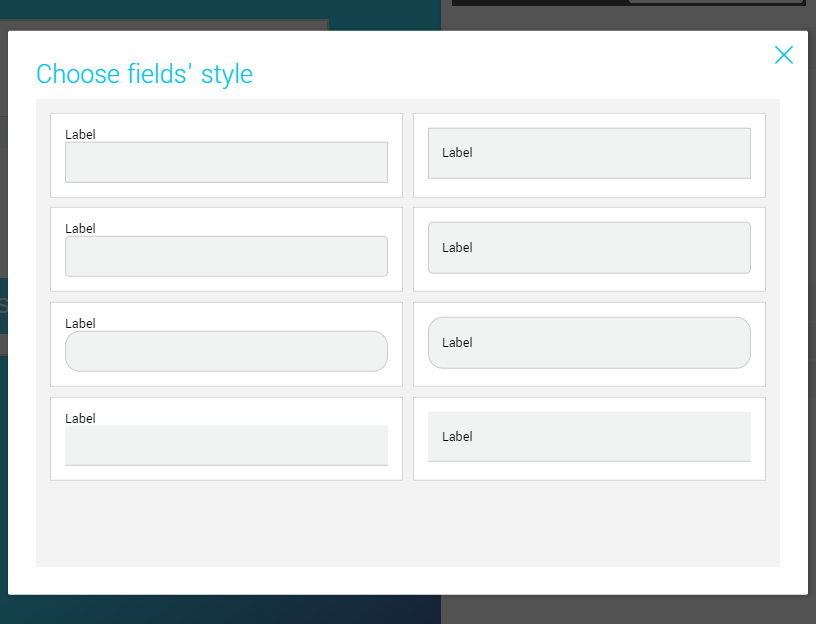
What are my options?
You can change the visual appearance of a field. Click on the field you’d like to modify, then click the Customize field's style button located in the right sidebar. You can also access these options by selecting the Design tab in the sidebar, then by clicking on the Fields sub-tab.
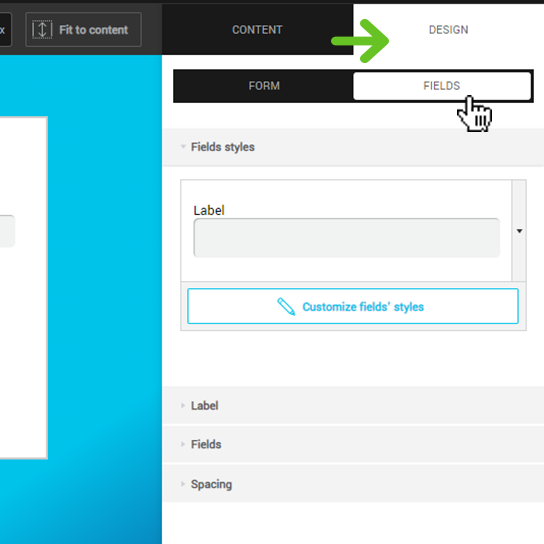
In the Customize field's style menu, you can click on the preview to access the Style bank. A window will open with different options. Have fun: you can alternate between styles as many times as you want.